Descarga videos, tableros y fotos de Pinterest en un clic.

Guarda videos de Pinterest en 1080p, tableros enteros a ZIP/PDF, Reels de Instagram y Threads sin marcas de agua.

Pinterest Pins & Boards • Instagram • Threads • LinkedIn
Browser Extension

Download straight from Instagram

Insta Downloader is our free browser extension. Pin its panel next to Instagram and it picks up the Reel, Story or post on screen, ready to save. It runs with your own Instagram login, so Stories and posts you can see work too.

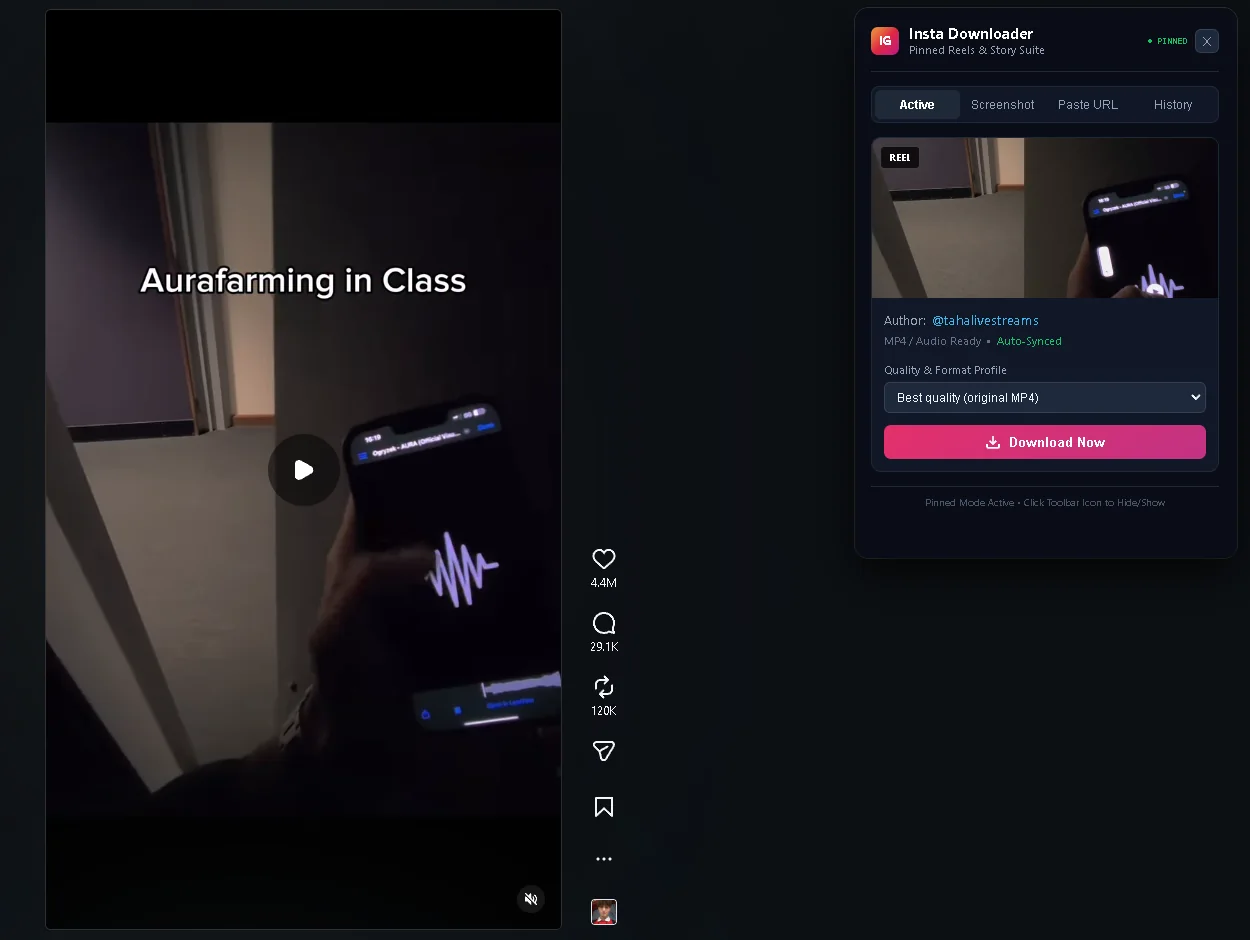
Insta Downloader panel pinned beside an Instagram Reel, showing the creator and a Download Now button
ReelsScroll the Reels tab with the panel open. It follows the Reel on screen, and Download Now saves the MP4 with sound.

Every tool in the extension

Reel downloader

The pinned panel follows the Reel you are watching, in the Reels tab, your feed or a post page.

Story saver

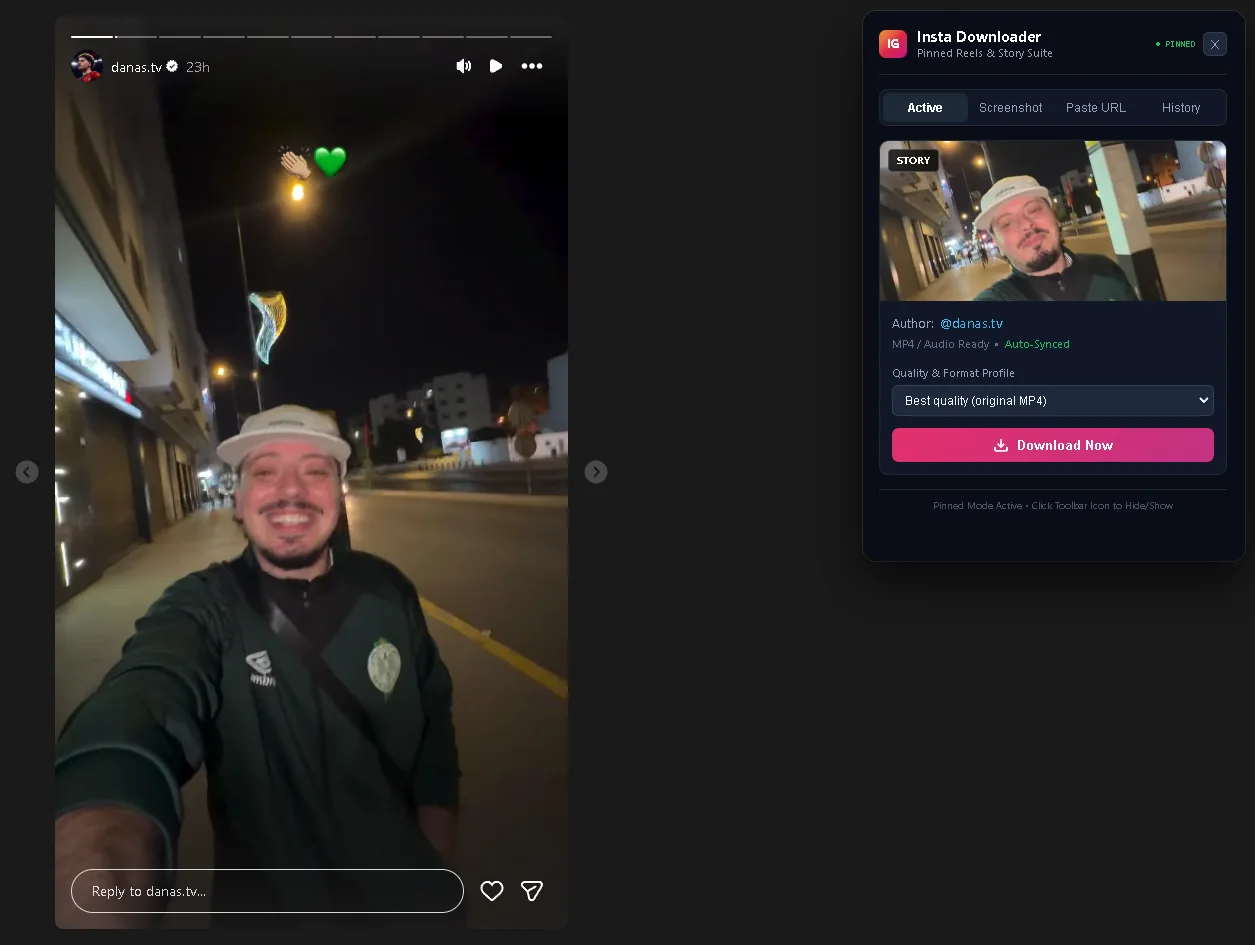
Saves the Story slide on screen, photo or video, at the quality Instagram serves it. Highlights too.

Posts

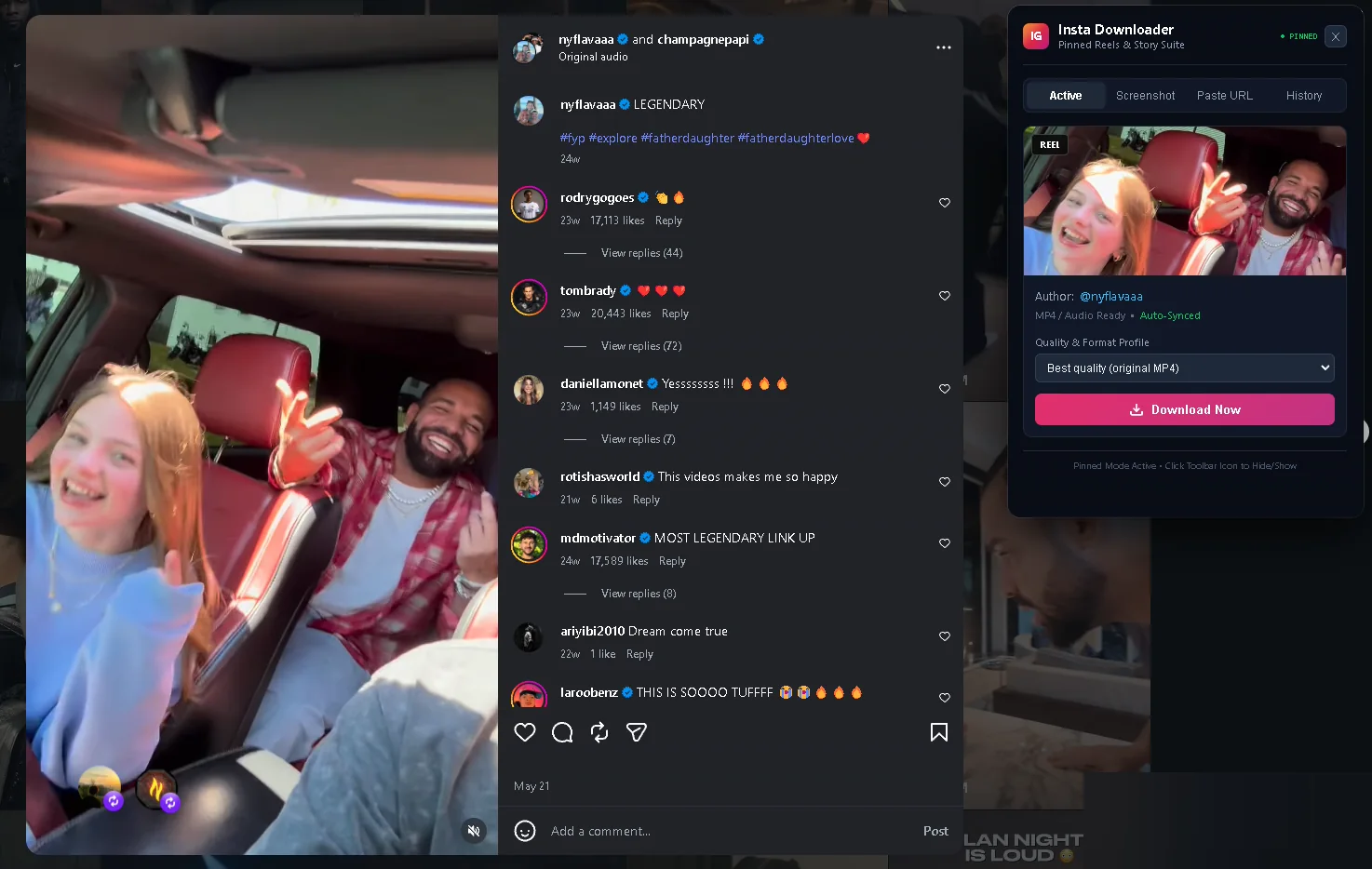
Open a post and the panel picks up its video or photo.

Audio only

Keep just the sound of a Reel.

Clean frame capture

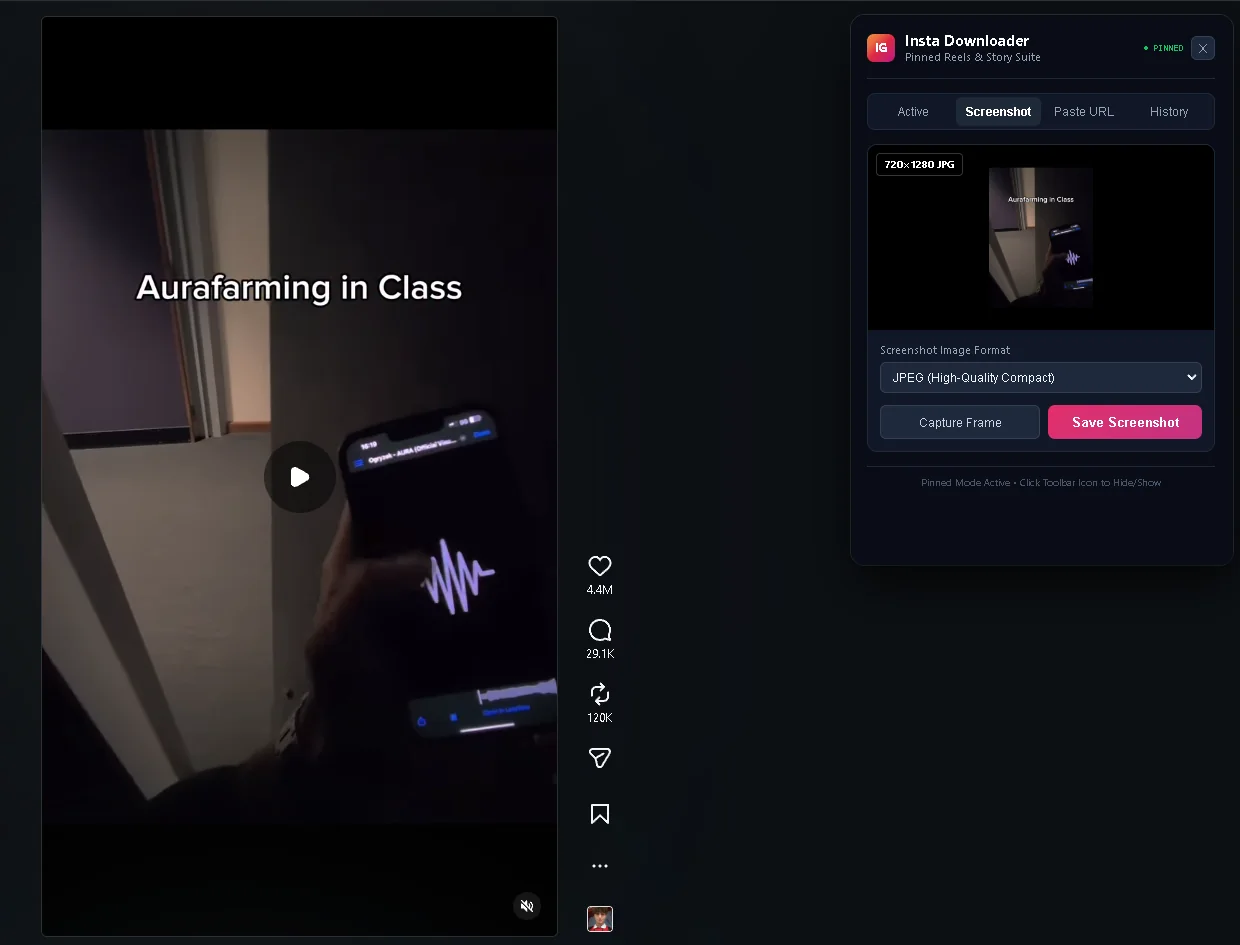
Screenshot the current frame without Instagram's buttons, as PNG or JPEG.

Paste URL

Drop any Reel, post or Story link into the panel and download it.

Download history

Your last 50 downloads, kept only in your browser.

Works with this site

With the extension installed, Story links pasted here download automatically.

Download Extension (.zip)

Free. Chrome, Edge, Brave and Opera. Runs locally, nothing is logged.

How to Install in 3 Steps

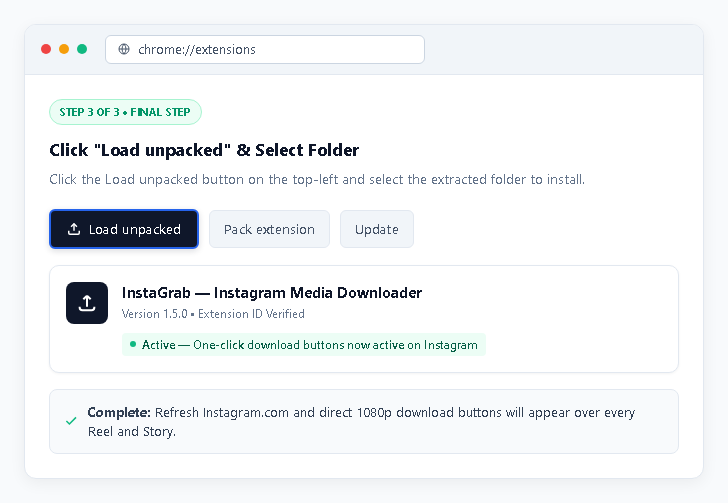
The extension isn't on the Chrome Web Store yet, so it installs in Developer mode. It takes about a minute.

Step 01 • Download

Download and unzip the extension

Download the ZIP file, then right-click it and choose "Extract All" (on Mac, double-click it). Keep the extracted folder somewhere permanent, like Documents.
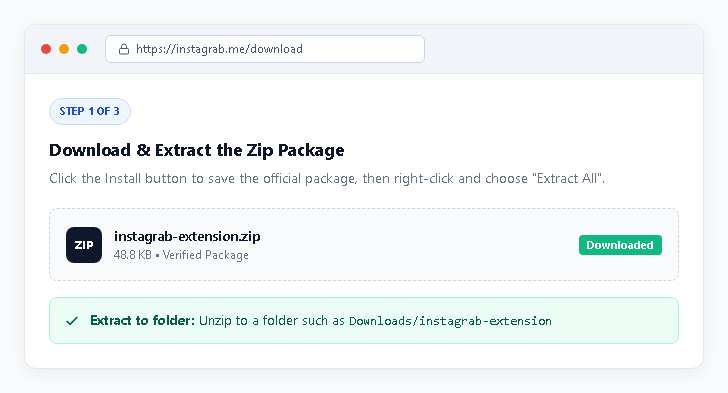
Step 1: download and extract the ZIP file
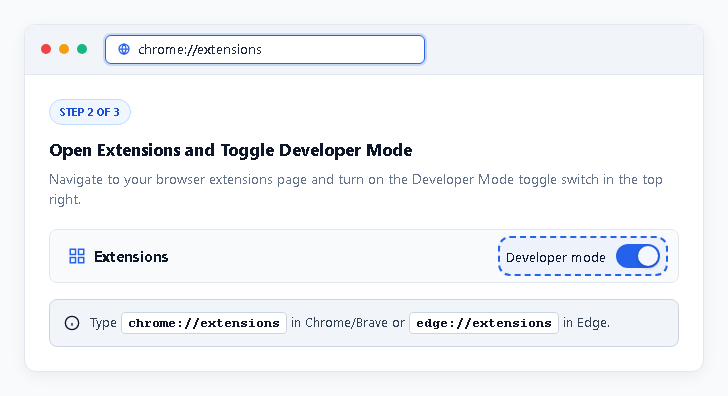
Step 02 • Developer mode

Turn on Developer mode

Open chrome://extensions (Chrome, Brave) or edge://extensions (Edge) in the address bar and switch on "Developer mode" in the corner.

Step 2: turn on Developer mode on the extensions page

How the Web Downloader Works

Three steps to save Pinterest Pins, Boards, Reels and Stories from your browser.

01

Copy Link

Find the Pin, Board, Reel, or video on Pinterest, Instagram, Threads, or LinkedIn and copy its URL.

02

Paste It Here

Paste the link into the box above and press Download to see the available video, image, or board files.

03

Save Media

Save the MP4, the original image, or export a whole board as a .ZIP or .PDF moodboard.

Frequently Asked Questions

Do I need to sign in or create an account?
No. Pinotto never asks for your passwords. Public Pinterest pins and boards, Instagram Reels and Threads posts work without any account. If a post is private or restricted, the browser extension can download it from your own session.
Are downloaded files recompressed or watermarked?
No. Files come straight from the platform's own servers in the best quality they offer, with no watermark added.
How does the Pinterest Board ZIP and PDF Moodboard download work?
Pinotto collects up to 50 full-resolution pins from a public board and packs them in your browser into a .ZIP archive or a printable multi-page .PDF moodboard.
Which browsers are supported?
The web downloader works in all modern desktop and mobile browsers. The extension supports Chromium browsers (Chrome, Edge, Brave, Opera). On Firefox, use the userscript with Tampermonkey or Violentmonkey.